67d2f0831631fdfa2c1c164e_make-vs-zapier-vs-n8n

n8n vs Make vs Zapier: Which Automation Platform Should You Choose?

In the modern digital ecosystem, automation is no longer a luxury reserved for enterprise engineering teams—it is the operational backbone of competitive businesses. Whether you are syncing leads from Facebook Ads to your CRM, transforming complex JSON payloads, or orchestration AI workflows, workflow automation tools save thousands of hours of repetitive manual labor.

For years, Zapier was the undisputed king of no-code automation. However, platforms like Make (formerly Integromat) and n8n (an open-source, code-friendly alternative) have drastically disrupted the market.

Choosing the wrong platform can lead to astronomical monthly bills, security compliance bottlenecks, or rigid technical limitations that stall your growth. In this definitive guide, we will break down n8n vs. Make vs. Zapier across key dimensions: features, visual workflow engines, pricing structures, developer flexibility, data privacy, and ideal use cases.

At a Glance: Executive Summary

Feature / MetricZapierMaken8n
Primary Target AudienceNon-technical users, small teams, quick setup seekersOps managers, power users, visual buildersDevelopers, technical teams, privacy-conscious orgs
Integrations7,000+ pre-built connectors1,800+ pre-built connectors400+ native connectors (+ HTTP Request node)
Execution ModelTask-based (1 step = 1 task)Operation-based (1 module = 1 op)Execution-based (1 workflow run = 1 execution)
Hosting OptionsSaaS Cloud onlySaaS Cloud (On-Prem for Enterprise)Self-Hosted (Docker/K8s) or n8n Cloud
Data Privacy & GDPRHigh cloud security, data stored on US serversEU hosted options, GDPR compliantComplete data sovereignty (Self-Hosted)
Learning CurveExtremely LowModerateModerate to High (Code-friendly)
AI CapabilitiesZapier Central / Canvas / Basic AI stepsNative OpenAI & AI connectorsNative AI Agent Nodes (LangChain integration)
Best ForFast linear automations with SaaS appsComplex, multi-step data mapping at scaleSelf-hosted data pipelines, developer-led workflows

Understanding the Metric Trap: Tasks vs. Operations vs. Executions

Before diving into each platform, you must understand how they measure and charge for workflow usage. A workflow that costs $50/month on one platform might cost $500/month on another purely due to these metric definitions.

+-----------------------------------------------------------------------------------+
| EXAMPLE WORKFLOW: Every 15 mins, fetch 100 new leads, filter them, update CRM.    |
+-----------------------------------------------------------------------------------+
| Zapier: Charges 1 TASK per successful action step.                               |
|        (100 leads x 2 steps = 200 tasks per run)                                  |
|                                                                                   |
| Make:   Charges 1 OPERATION per module executed.                                |
|        (1 trigger + 100 router ops + 100 update ops = ~201 operations per run)    |
|                                                                                   |
| n8n:    Charges 1 EXECUTION per full workflow run, regardless of items processed. |
|        (1 full run processing 100 items = 1 execution)                            |
+-----------------------------------------------------------------------------------+
  1. Zapier (Tasks): Zapier counts every single action step that successfully completes inside a Zap. If a workflow runs once and updates 50 records in your database across 3 steps, you are billed for 150 tasks.
  2. Make (Operations): An operation is performed every time a module in your scenario receives or processes data. While similar to Zapier’s task model, Make’s higher tier limits make operations significantly cheaper per unit.
  3. n8n (Executions): On n8n Cloud (and infinitely on Self-Hosted), pricing is tied to workflow executions. If your workflow executes once and processes 10,000 records inside that single run using loops or batch processing, it counts as 1 execution.

Deep Dive 1: Zapier — The Uncontested King of Simplicity
Founded in 2011, Zapier pioneered the web automation movement. It was built around a straightforward philosophy: connect App A to App B without writing a single line of code.

Key Strengths

  • Unmatched Integration Ecosystem: With over 7,000+ app integrations, if a SaaS product has an API, it almost certainly has a pre-built Zapier connector.
  • Zero Learning Curve: The interface guides non-technical users step-by-step through triggers and actions using standard form fields.
  • Zapier Tables & Interfaces: Zapier has evolved into a lightweight application builder, allowing users to build simple front-end forms and back-end databases directly within the ecosystem.
  • Built-in Tools: Formatter, Delay, Paths, and Webhooks modules enable simple branching logic without complex programming.

Drawbacks

  • Prohibitive Pricing at Scale: Because Zapier charges per task, high-volume data syncs (e.g., e-commerce order syncing, webhooks receiving thousands of events daily) become rapidly expensive.
  • Rigid Canvas UI: While Zapier introduced visual branching (“Paths”), the interface remains largely linear and can feel clunky when managing multi-branch, multi-conditional logic.
  • Limited Array Handling: Working with nested JSON objects, loops, and complex arrays can be frustrating without technical workarounds or custom Code Steps.

Ideal User

  • Marketers, founders, and business operations specialists who need to connect standard SaaS tools (HubSpot, Slack, Google Sheets, Calendly) in minutes without touching code or managing infrastructure.

Deep Dive 2: Make — The Visual Data Mapping Powerhouse

Make (formerly Integromat) revolutionized workflow automation by replacing linear lists with an interactive, node-based visual canvas. It allows creators to drag, drop, align, and visually inspect data flows in real-time.

Key Strengths

  • Infinite Canvas & Visual Debugging: You can visually map out intricate logic, complete with routers, filters, error-handling directives, and aggregators. When a scenario runs, you can see glowing data bubbles move across nodes.
  • Granular Data Manipulation: Make shines at parsing standard and custom data structures. Its built-in functions for JSON parsing, regex matching, array manipulating, and mathematical formulas are deeply powerful.
  • Cost-Effective Operation Bundles: Make offers vastly more operations per dollar compared to Zapier, making it the preferred choice for data-heavy automation workflows.
  • Advanced Error Handling: Make allows you to handle API errors dynamically using Commit, Rollback, Ignore, Resume, and Break directives directly within the UI.

Deep Dive 3: n8n — The Developer-First, Fair-Code Alternative
n8n (pronounced n-eight-n) was designed as an open-source, fair-code workflow automation tool. It merges the visual drag-and-drop workflow experience of modern platforms with the flexibility of raw code and self-hosting control.

Key Strengths

  • Self-Hosting & Total Data Sovereignty: You can host n8n on your own infrastructure (AWS, DigitalOcean, local Docker container) for free under the Sustainable Use License. Your sensitive data never leaves your enterprise network—a massive advantage for GDPR, HIPAA, and SOC2 compliance.
  • Execution-Based Cloud Pricing: On n8n Cloud, you pay per workflow execution, not per step. A 20-step workflow processing thousands of records costs the same as a 2-step workflow.
  • Native JavaScript & Python Code Nodes: Write custom scripts directly inside your workflow with full access to external libraries and full node data.
  • Built-In AI Agent Framework: n8n features first-class nodes for AI integration, leveraging LangChain under the hood. You can easily build autonomous AI agents, attach vector memory databases, and plug in custom toolchains.

Drawbacks

  • Smaller Pre-Built App Library: With around 400+ native connectors, n8n relies more heavily on its generic HTTP Request Node to connect to niche APIs (though its HTTP node is exceptional).
  • DevOps Overhead for Self-Hosting: Running self-hosted n8n at scale requires managing PostgreSQL databases, Redis queues, worker nodes, SSL certificates, and platform updates.
  • Requires Technical Aptitude: To get the most out of n8n, users should understand basic programming concepts, HTTP headers, authentication types, and JSON array structures.

Ideal User

  • Software engineers, technical founders, IT departments, enterprise security teams, and AI developers who demand complete control over data, infinite customizability, and predictable costs.

Detailed Pros and Cons Summary

Zapier

ProsCons
Largest app ecosystem in the worldExtremely expensive at high task volumes
Zero technical skill requiredLimited visual representation of multi-branch logic
Built-in lightweight apps (Tables, Interfaces)Restricted control over raw code and dynamic scripts
Fast setup for simple team workflowsRigid execution logic and debugging options

Make

ProsCons
Highly intuitive, beautiful visual canvasSteeper learning curve for non-developers
Exceptional value for cost per operationComplex mapping constructs for nested arrays
Advanced error handling and rollback modulesWebhook rate limits on lower-tier plans
Powerful built-in data transformation utilitiesSaaS dependency (Cloud execution)

n8n

ProsCons
Free self-hosting option with infinite scaling potentialRequires basic developer/technical knowledge
Executions-based pricing (unbeatable on Cloud)Smaller pre-built app connector count
Full code integration (JS, Python) & custom npm packagesSelf-hosting requires DevOps maintenance
Best-in-class native AI Agent & LangChain supportOnboarding takes longer for pure non-coders

SEO in 2026: Complete Beginner’s Guide to Ranking on Google

What Is SEO?

SEO stands for Search Engine Optimization.

It includes the techniques used to improve a website’s visibility in unpaid or “organic” search results.

For example, suppose you have a page targeting:

“Digital Marketing Course in Delhi”

Someone searches Google for the same topic.

If Google considers your page relevant and useful, it may show your page in its search results.

A Simple SEO Example

Suppose two websites offer digital marketing courses.

Website A:

Digital Marketing Course

The page contains only 300 words, very little information, and no clear course structure.

Website B:

Digital Marketing Course in Delhi – Complete 2026 Guide

The page explains:

  • Course duration
  • Modules
  • Fees
  • Career opportunities
  • Practical projects
  • Certification
  • Trainers
  • FAQs
  • Admission process
  • Location
  • Contact information

Website B gives users significantly more useful information.

SEO helps search engines understand this content and determine where it may be relevant.

Why Is SEO Important?

SEO remains important because search engines continue to be a major way people discover information, products, services, and businesses.

Google’s current documentation emphasizes that SEO best practices remain relevant for its generative AI search experiences as well.

SEO can help businesses:

  • Increase organic traffic
  • Generate leads
  • Reach potential customers
  • Build brand visibility
  • Increase online credibility
  • Reduce dependence on paid advertising
  • Promote products and services
  • Reach local customers

For example, a local institute could target:

“digital marketing institute in Yamuna Vihar”

An ecommerce business could target:

“best toner cartridge for Brother printers”

A travel company could target:

“best honeymoon packages in India”

The key is matching your content to what your target audience actually searches for.

Can You Use AI for SEO Content?

Yes—but use it carefully.

AI can help you:

  • Brainstorm topics
  • Create outlines
  • Research questions
  • Rewrite sentences
  • Generate examples
  • Create content briefs
  • Identify content gaps

However, simply generating hundreds of AI articles and publishing them without meaningful value can create SEO problems.

Google’s current guidance specifically says that scaled content abuse can include generating many pages with AI when the primary purpose is manipulating search rankings rather than helping users.

Better Approach

Use:

AI + Human Expertise + Original Information + Fact Checking + Editing

For example, an AI tool can help create the first draft of an SEO article, but a human should add:

  • Personal experience
  • Original examples
  • Expert opinions
  • Case studies
  • Updated information
  • Images
  • Data
  • Unique insights

Technical SEO

Example

Imagine you create an excellent blog article, but accidentally add a noindex directive to the page.

Google may not index the page.

Your content could be excellent—but it still won’t receive normal organic search visibility.

Best Free AI Tools Every Digital Marketer Should Know

Artificial Intelligence (AI) has changed the way digital marketing works. Tasks that once required hours of research, writing, designing, analyzing data, and planning can now be completed much faster with AI-powered tools.

For digital marketers, AI is not simply about generating content. It can help with SEO research, social media marketing, email campaigns, ad copy, graphic design, competitor research, customer analysis, video creation, automation, and reporting.

The good news is that you don’t always need an expensive subscription to start using AI. Many powerful AI tools offer free plans, free versions, or generous free credits that are useful for students, freelancers, small businesses, entrepreneurs, and marketing professionals.

In this guide, we’ll explore some of the best free AI tools every digital marketer should know in 2026, along with practical examples of how you can use them.

What Are AI Tools for Digital Marketing?

AI marketing tools are software applications that use artificial intelligence to help marketers perform tasks more efficiently.

For example, an AI tool can help you:

  • Generate blog ideas
  • Write content outlines
  • Create social media captions
  • Research keywords
  • Analyze competitors
  • Generate advertising copy
  • Create images
  • Edit videos
  • Analyze customer data
  • Automate repetitive tasks
  • Improve SEO
  • Create email campaigns
  • Develop marketing strategies

Instead of replacing the marketer, AI works as a productivity assistant.

The marketer still needs to provide the strategy, understand the audience, check the information, and make the final decisions.

How Digital Marketers Can Use ChatGPT

You can use it for:

  • Blog topic research
  • Content outlines
  • Blog writing
  • Social media captions
  • Email marketing
  • Ad copy
  • Product descriptions
  • SEO content ideas
  • Customer personas
  • Marketing strategies
  • FAQ generation
  • Video scripts
  • Content calendars

Example Prompt

“Create a 30-day social media content calendar for a digital marketing institute targeting college students.”

ChatGPT can generate content ideas, captions, formats, and calls-to-action that you can refine according to your brand.

Why It Is Useful

The biggest advantage is versatility. Instead of using separate tools for every basic writing and brainstorming task, marketers can use one AI assistant for multiple workflows.

Best for: Content marketing, brainstorming, strategy, copywriting, research, and productivity.

Google Gemini – AI for Research and Content Ideas

Google Gemini is another useful AI assistant for marketers.

It can help with brainstorming, research-oriented tasks, content planning, summarization, and creating marketing ideas.

Digital marketers can use Gemini to explore topics and develop content structures before producing the final content.

Marketing Use Cases

For example, you could ask:

“Give me 20 blog topics about AI tools for small business owners.”

Or:

“Create a content strategy for an ecommerce brand selling skincare products.”

You can also use AI assistants to turn complicated marketing concepts into easy-to-understand explanations for customers or students.

Best for: Research assistance, brainstorming, content planning, and productivity.

Canva – AI-Powered Design for Marketers

You don’t need to be a professional graphic designer to create marketing creatives.

Canva provides templates and AI-powered features that can help marketers create:

  • Instagram posts
  • Facebook advertisements
  • YouTube thumbnails
  • Presentation slides
  • Infographics
  • Posters
  • Flyers
  • LinkedIn graphics
  • Website banners

Example

Suppose you’re promoting a digital marketing course.

Instead of designing everything from scratch, you can start with a suitable marketing template, customize the headline, add your logo, update the colors, and create multiple versions for different platforms.

Why Canva Matters

Visual content plays an important role in social media marketing. Canva makes it easier for marketers to produce consistent creative assets without advanced Photoshop skills.

Best for: Social media graphics, advertisements, presentations, banners, and visual content.

Grammarly – AI Writing Assistant

Good marketing isn’t only about having ideas. Your message also needs to be clear and professional.

Grammarly uses AI to help improve writing by identifying grammar, spelling, punctuation, clarity, and style issues.

Digital Marketing Applications

Marketers can use it to review:

  • Emails
  • Blog posts
  • Website copy
  • Social media posts
  • Advertisements
  • Product descriptions
  • Business proposals

For example, if you’re writing an email to a potential customer, Grammarly can help identify unclear sentences and grammatical mistakes before you send it.

Best for: Editing, proofreading, professional communication, and content quality.


Perplexity – AI-Powered Research

https://images.openai.com/static-rsc-4/MHnGyhVgk8lRmCbuQypypvSLKcIEHt4SWqzF6yhtsReeW6SaWrhbZXkvM5lQ5vtccxH8UmVnRkhxRPpoiNR3tgwenwmdJ04xp33blK3vJ0wvLGGh4WzpZx2I6kjek8b5JiRBpLKb5Zy_Axi3ZV9ttDvgnQ1J3PFI-oQ0udkw6CCP6BZ6XP7knqHfbxLH8ShO?purpose=fullsize
https://images.openai.com/static-rsc-4/DQRwC7LZpUX9OR8lSRMN3qcp52Pmqqe6NixOm3l9NdIeuyilZT84gqHdNPLHwciWZ51kxovPx67JjIKKHPriCwjRHfYPgZn0BzHq2oX_EjbQCQLKy1uQR2VV1fu_GQBkVy-UKaZtkWI7-G1_9lHV0OeHdfISNEB7wcgYV-M1qL79ju0G4pSFqJdJmFjm91cX?purpose=fullsize
https://images.openai.com/static-rsc-4/x1V7UFPNG_g2LfXjBn5N_BjxkXO6L0lrCWAym_gPIX3s9qJc1EC2LUZ9boHzVdoj8M5-XS8vfQtAfP1zTiF7faOeQYDTLEvoJKqVjyGZ0EtLFKUGAyswmm3iKvMNQDly3fAose3G2yT7J0fEDSD-ew8qBrkkJttyEgg1cI3QUB9rSvD6UbqmIZeaK8N84tEy?purpose=fullsize

Digital marketers spend a significant amount of time researching markets, industries, competitors, and customer questions.

Perplexity can help with research-oriented searches by providing answers accompanied by sources.

How Marketers Can Use It

You can research:

  • Industry trends
  • Customer questions
  • Competitor information
  • Market developments
  • Product comparisons
  • Content ideas
  • Frequently asked questions

For example:

“What are the major digital marketing trends businesses should consider in 2026?”

The results can help you identify topics worth investigating further.

Important: Always verify important information against the original sources before publishing it.

Best for: Research, fact-checking, topic discovery, and market exploration.


Google Trends – Discover What People Are Searching For

https://images.openai.com/static-rsc-4/Bi7U2lNkIuyQJp82_pr-F4OO15MvORpoewlJWcOutqbPFeXi2GchQA3PYE16fQs9XUng8UllWdjeu34OyvUMwsyTEEfAQCB4nAbPT8zpjrLh7x2CTgFBlKtLWtCMh__YuUd4GUYIfMuQU0aHWWC8kVXqCJl95GdbLEXH7tD22KL4TDSaaJ8H2DcWxZIa1MOE?purpose=fullsize
https://images.openai.com/static-rsc-4/i10vfvq6u5-PS-Jwnc3OX6VSiYoTUvgHgiG03JXjrK3Vgz1XiISz5PpLD6xKsaX1y5iv9wJA8qDEQtm9nxlSy6r9uoqYij8YcJNLpUAvuMSK2tFFhzrlmKqH3KaoOJnPn4qo5Ee0UWLh2mVh2yPRSL5ZQGPeFmEt4vLWONmNLztJiILMnfnbH9A7A7McZZEt?purpose=fullsize
https://images.openai.com/static-rsc-4/9AIA4WQ6pYOKQr4dlZmLzAQqfhjd1-oG24hmv2gl3OQdZ8we3t_vXKwY5eYuokWpZftpz_pnDsjALvFGFsbqPMMY68ChBGuVZbCgC_ao7g1IPz6MRHz69wM5XNblophKOcIB7urK2F0c6-UCJVwUpgW6MxFzvYcfCmeO8MA9neDCh7BX42C-jkwtoVoDcOHY?purpose=fullsize

6

Although Google Trends isn’t exclusively an AI writing tool, it is extremely valuable for digital marketers.

It helps marketers understand how search interest changes over time.

You can compare topics and identify seasonal trends.

Example

Imagine you run an ecommerce business selling school supplies.

You could use Google Trends to investigate when searches for:

  • School bags
  • Notebooks
  • Stationery
  • Study tables

start increasing.

This information can help you plan content, advertising, and promotions.

Best for: Trend research, content planning, keyword exploration, and seasonal marketing.


HubSpot AI Tools – Marketing and Content Assistance

HubSpot provides a range of AI-powered capabilities designed around marketing and customer relationship workflows.

Depending on the feature and plan available, marketers can use AI for tasks such as:

  • Content creation
  • Email assistance
  • Marketing ideas
  • Customer communication
  • CRM-related workflows
  • Sales and marketing productivity

For businesses already using a CRM, AI features can be particularly useful because marketing activities can be connected with customer information.

Best for: Marketing teams, CRM workflows, email marketing, and business marketing.


CapCut – AI Video Creation and Editing

https://images.openai.com/static-rsc-4/XVXDz7NGDLlqAKcTY06zME-MgCOBCJuJ8hCQWpEF9BUCpygu5tbf-iazhFLmvONMPnoVRQvr2O0RI3U6owai1P2ZGaEhh-tzRRBBBWfHet680yZx5CdlsSAsZ2XmZsM9YH2Ppds9mhvC68rqhwwYpjCsmjki4jrCaKyeFp2iHWQxMZDz3EkZZTouId_tYB6_?purpose=fullsize
https://images.openai.com/static-rsc-4/0GJ30m_mlLRTDZ4_dO0MqsjqEiZJ9pIRg-lPum3eXGL1WEI88B07qz2u0eZwmp7augM_uiL-SY8rNo5LfGAB58iB9ylqxWg0Zdhu711GxQNnmk8Bd9WDOuE_Uh-c1tP6bHpEs_VEqICN9LvDaPMfqLN4KlnCooVQ7M3LJnZT2TZzQ8hDN5dPRUzNKj5VOjW-?purpose=fullsize
https://images.openai.com/static-rsc-4/efQFqk2crrws3_tz2fXgje1HUtigGVcFM6fY84sO3VTPgJVkfZgV1e1f-kFIaxJPNGuimpwuDC6ydHCgPaSQR-QEdkYotRk5aIlEK6GZdtIYGOnvuh7VxvbnB8DqTUX9NP88EPwZ_l6PU_HKBbTRjPE5bRoh3eS8OfVKW1RJ4ltgZDS_d98rUl22t8-0yXne?purpose=fullsize

6

Video marketing has become an important part of digital marketing.

CapCut provides editing tools and AI-powered features that can help marketers create short-form videos for platforms such as Instagram, YouTube, and other social networks.

You Can Use It For:

  • Reels
  • Shorts
  • Promotional videos
  • Educational videos
  • Product videos
  • Video advertisements
  • Subtitle generation
  • Basic video editing

For example, a digital marketing institute could create a 30-second Reel:

Hook: “Want to learn digital marketing?”

Body: “Learn SEO, social media, Google Ads, AI tools and ecommerce.”

CTA: “Book your free demo today.”

AI-assisted editing can help turn raw footage into a more polished social media video.

Best for: Short-form video, social media content, captions, and video marketing.


Microsoft Copilot – AI for Everyday Marketing Tasks

Microsoft Copilot can assist with a variety of productivity and content tasks.

For marketers working with Microsoft products, AI can be especially useful for creating or improving documents, presentations, emails, and other business content, depending on the available Copilot version.

Example Uses

A marketer could use AI to:

  • Draft an email
  • Summarize information
  • Brainstorm campaign ideas
  • Prepare presentation content
  • Rewrite marketing copy
  • Create an outline for a report

Best for: Business productivity, content assistance, presentations, and workplace tasks.


Looker Studio – AI-Assisted Marketing Reporting Workflows

Data is one of the most important parts of digital marketing.

Marketers need to know:

  • How many people visited the website?
  • Which campaign generated leads?
  • Which keywords brought traffic?
  • How many people converted?
  • Which social media channel performed best?
  • How much was spent on advertising?

Looker Studio can help create dashboards that bring marketing data together into visual reports.

You can connect supported data sources and create dashboards showing metrics such as traffic, conversions, advertising performance, and campaign results.

Why Reporting Matters

Imagine spending ₹50,000 on advertising but not knowing which campaign generated the leads.

Without data, marketing becomes guesswork.

With dashboards, marketers can identify patterns and make more informed decisions.

Best for: Marketing analytics, reporting, dashboards, and performance monitoring.


Ubersuggest – SEO and Keyword Research

SEO is another area where AI and automation can save marketers significant time.

Ubersuggest provides SEO-related tools for keyword research, content ideas, competitor analysis, and website analysis.

A marketer can use keyword research to identify search terms relevant to their target audience.

Example

Suppose you run a digital marketing institute in Delhi.

Potential keyword ideas could include:

  • Digital marketing course in Delhi
  • Digital marketing institute in Delhi
  • SEO course in Delhi
  • Digital marketing course in Yamuna Vihar

These keywords can then be evaluated based on search demand, competition, relevance, and business intent.

Best for: SEO research, keyword discovery, content planning, and competitor research.


AnswerThePublic – Find Customer Questions

One of the easiest ways to create useful content is to answer questions your audience is already asking.

AnswerThePublic helps marketers discover questions and search phrases related to a topic.

For example, if your topic is SEO, you may find questions such as:

  • What is SEO?
  • How does SEO work?
  • Why is SEO important?
  • How long does SEO take?
  • Is SEO free?

Each question can potentially become:

  • A blog article
  • Instagram content
  • YouTube video
  • FAQ
  • LinkedIn post
  • Short-form video

Best for: Content ideas, FAQs, search intent, and audience research.


How to Choose the Right AI Tool?

You don’t need to use every AI tool available.

Instead, choose tools according to your marketing workflow.

Marketing TaskUseful AI Tools
Content WritingChatGPT, Gemini
ResearchPerplexity, Gemini
Graphic DesignCanva
Video EditingCapCut
Writing & ProofreadingGrammarly
SEO ResearchUbersuggest
Keyword TrendsGoogle Trends
Customer QuestionsAnswerThePublic
Marketing ReportingLooker Studio
Business ProductivityMicrosoft Copilot

The best combination depends on your business, budget, skills, and marketing goals.


How to Build an AI-Powered Digital Marketing Workflow

Instead of using AI tools separately, you can combine them into a workflow.

Step 1: Research

Use Google Trends, Perplexity, or keyword research tools to understand the topic and audience.

Step 2: Generate Ideas

Use ChatGPT or Gemini to develop:

  • Blog topics
  • Social media ideas
  • Video concepts
  • Campaign ideas

Step 3: Create Content

Use an AI writing assistant to create the first draft.

Remember that the draft should be reviewed and improved by a human.

Step 4: Optimize for SEO

Research relevant keywords and search intent.

Make sure the content is useful rather than simply inserting keywords repeatedly.

Step 5: Create Visuals

Use Canva to create:

  • Blog graphics
  • Social media posts
  • Infographics
  • Ad creatives

Step 6: Create Videos

Turn the same content into short videos using tools such as CapCut.

Step 7: Publish

Publish the content on your website and relevant social media platforms.

Step 8: Analyze

Use analytics and dashboards to measure:

  • Traffic
  • Engagement
  • Leads
  • Conversions
  • Cost per lead
  • Revenue

Step 9: Improve

Use the data to determine what needs to be changed in your next campaign.


Benefits of Using Free AI Tools in Digital Marketing

1. Saves Time

AI can reduce the time required for brainstorming, drafting, research, and repetitive tasks.

2. Helps Generate More Ideas

When marketers run out of content ideas, AI can provide different angles and formats.

3. Improves Productivity

One marketer can potentially manage more tasks by automating repetitive activities.

4. Helps Beginners

People without advanced writing, design, or technical skills can use AI to get started.

5. Supports Content Personalization

AI can help create different versions of content for different audiences.

6. Reduces Initial Costs

Free plans allow students, freelancers, startups, and small businesses to experiment before investing in premium software.


Limitations of Free AI Tools

AI is powerful, but it isn’t perfect.

AI Can Make Mistakes

AI-generated information can sometimes be inaccurate or outdated.

Free Plans Have Limits

Many platforms restrict usage, features, credits, or advanced functionality on free plans.

Generic Content Can Be a Problem

If everyone uses AI to produce similar content, publishing generic AI-written articles may not provide much value.

Human Review Is Important

Marketers should check facts, brand messaging, statistics, legal claims, product information, and sources before publishing.

AI Doesn’t Replace Marketing Strategy

Knowing how to use an AI tool is different from understanding:

  • Customers
  • Branding
  • Positioning
  • SEO
  • Advertising
  • Conversion optimization
  • Analytics

AI can assist with execution, but strategic thinking remains important.


Final Thoughts

AI has become an important part of modern digital marketing.

Tools such as ChatGPT, Gemini, Canva, Grammarly, Perplexity, Google Trends, CapCut, Microsoft Copilot, Ubersuggest, AnswerThePublic, and Looker Studio can help marketers research, create, optimize, publish, and analyze content more efficiently.

However, the goal shouldn’t be to use AI simply because it is available.

The real advantage comes from combining AI + marketing knowledge + human creativity + data.

What Is Digital Marketing? Complete Guide for Beginners in 2026

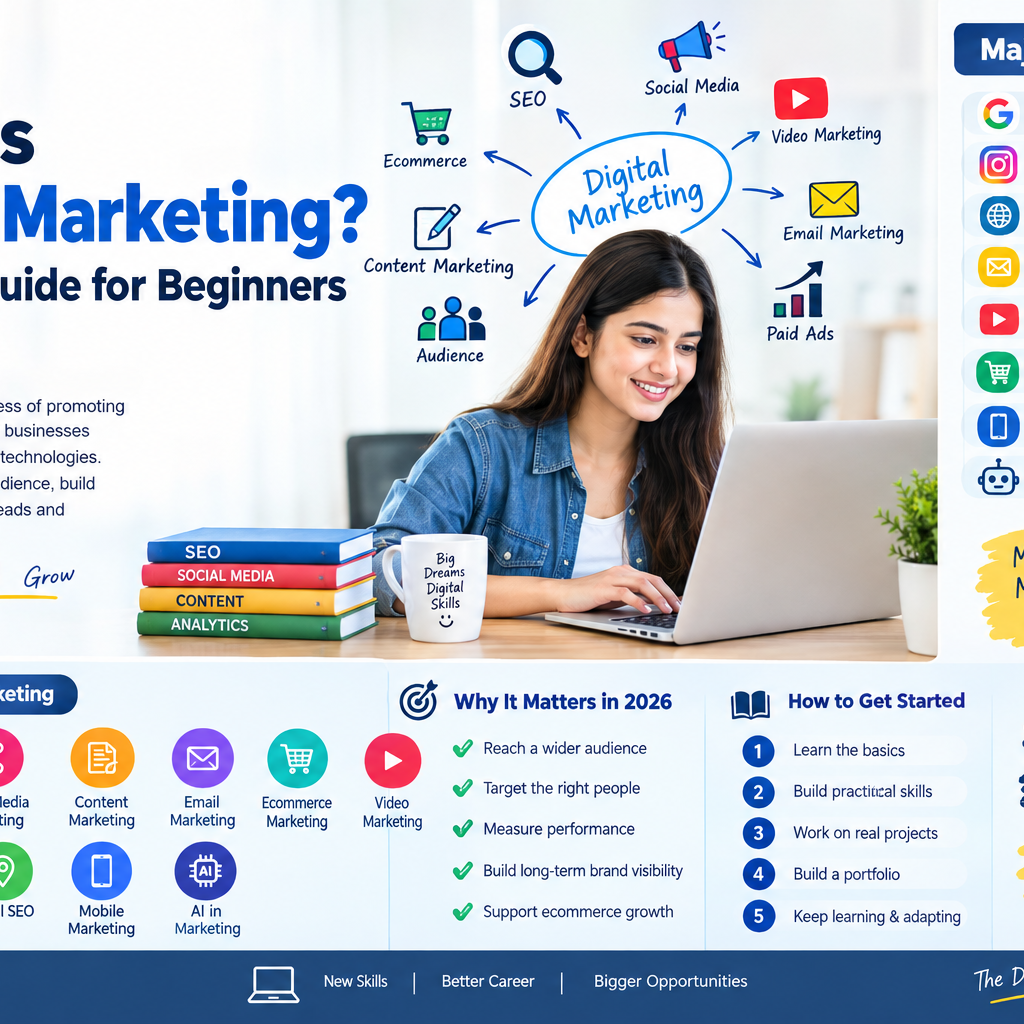
Digital marketing encompasses every promotional effort that uses an electronic device or the internet. Businesses leverage online channels—such as search engines, social media, email, websites, and mobile apps—to connect with current and prospective customers.

Unlike traditional print, television, or radio advertising, digital marketing enables two-way communication, real-time performance tracking, and precise audience targeting. At its core, digital marketing resolves two primary objectives: capturing existing demand (when customers are actively searching for a solution) and generating potential demand (when you educate prospective buyers about a problem they didn’t realize they had).

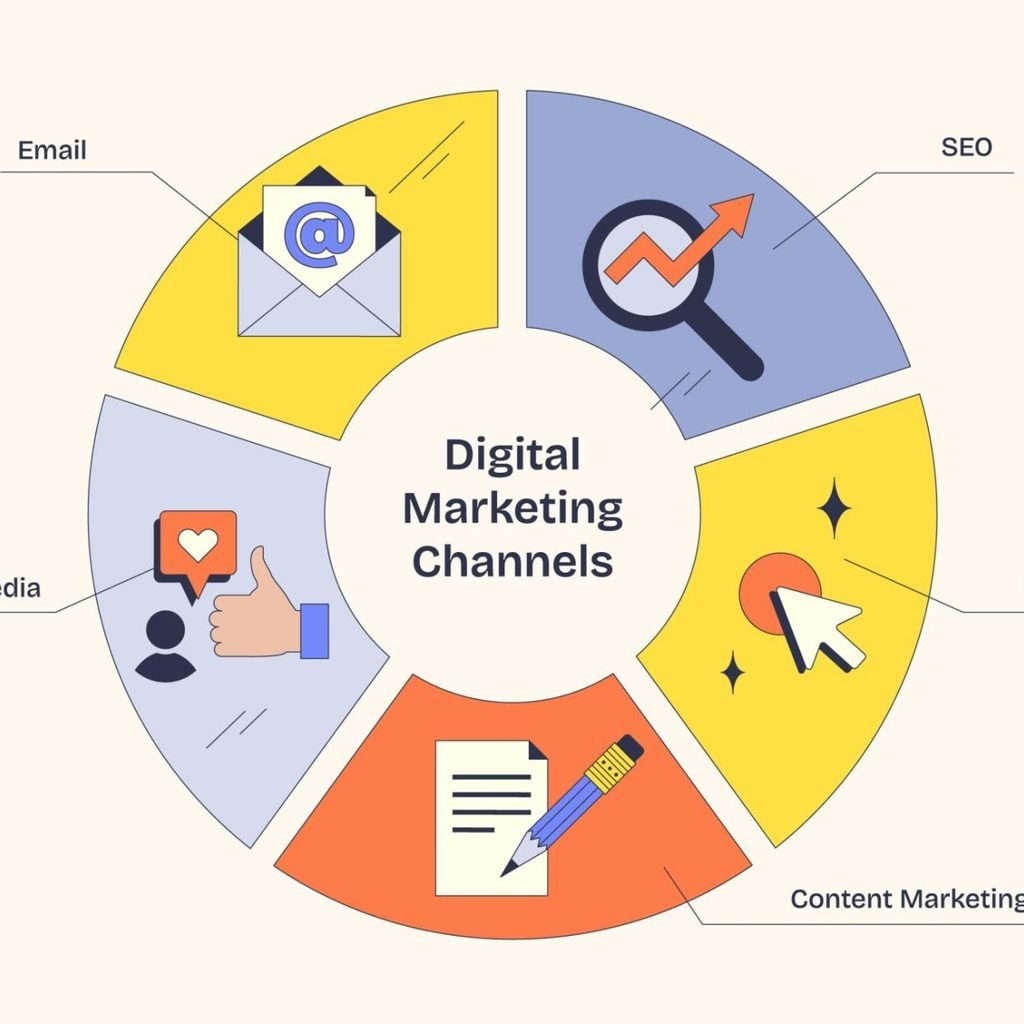
Digital marketing channels diagram shows email, SEO, and social media as key elements in a neubrutalism style diagram.

Traditional Marketing vs. Digital Marketing

The shift toward digital ecosystems has redefined how brands allocate budgets and evaluate impact. While traditional channels still offer broadcast reach, digital marketing provides hyper-targeting, agility, and measurable returns.

FeatureTraditional MarketingDigital Marketing (2026)
Primary ChannelsTV, billboards, radio, print magazinesSearch engines, AI engines, social networks, email, apps
Audience TargetingBroad demographics (location, age bracket)Granular intent, behavioral signals, dynamic segments
MeasurabilityEstimated reach, surveys, lagged sales numbersReal-time attribution, conversion tracking, ROI metrics
Cost & Entry BarrierHigh upfront costs, fixed production budgetsFlexible budget control, low cost of entry
InteractivityOne-way broadcast communicationTwo-way engagement, instant community feedback

The Core Pillars of Digital Marketing

Modern digital marketing is divided into several specialized channels. While each channel functions independently, successful strategies blend them into a cohesive buyer journey.

1. Search Engine & Generative Optimization (SEO & GEO)

Search Engine Optimization (SEO) involves optimizing web pages so search engines like Google rank them organically for relevant search terms.

With AI tools generating instant answers in search result pages, Generative Engine Optimization (GEO) focuses on ensuring your brand is cited and referenced inside AI-generated search answers (such as Google AI Overviews and ChatGPT).

  • On-Page SEO: Optimizing page titles, meta descriptions, headings, and intent-driven content.
  • Off-Page SEO: Earning digital citations, authoritative backlinks, and brand mentions across the web.
  • Technical SEO: Ensuring site speed, mobile usability, and proper structured schema markup.

2. Content Marketing

Content marketing focuses on creating, publishing, and distributing value-first content—such as blog posts, whitepapers, case studies, and guides—to attract and retain a defined audience. Rather than pitching products directly, content marketing establishes topical authority and addresses audience pain points.

3. Social Media Marketing & Creator Partnerships

Social platforms (LinkedIn, Instagram, TikTok, X, YouTube) serve two key roles: building brand personality and gathering audience insight. Organic social posting builds active communities, while creator partnerships—collaborating with niche influencers—drive authentic brand advocacy over generic sponsored ads.

4. Pay-Per-Click Advertising (PPC)

PPC is a paid model where advertisers pay a fee each time a user clicks their ad. It provides immediate visibility and traffic.

  • Search Ads: Text ads displayed above organic search engine queries.
  • Paid Social Ads: Targeted visual or video campaigns running across social feeds.
  • Retargeting Ads: Custom ads served to users who previously visited your website or abandoned a shopping cart.

5. Email Marketing & First-Party Data

Email marketing delivers direct communication to subscribers who have explicitly opted in. It retains the highest average return on investment (ROI) because you own the platform list, making it immune to social media algorithm shifts or third-party cookie restrictions.

6. Short-Form & Shoppable Video

Video dominates consumer attention online. Platforms now offer shoppable video elements, allowing viewers to click interactive overlays and complete purchases directly within a video reel or stream without changing pages.

Channel Performance & Strategic Overview

Choosing where to invest depends on your budget, timeline, and whether you are capturing existing demand or building brand awareness.

ChannelPrimary ObjectiveAverage ROI HorizonBest Suited For
SEO / GEOOrganic high-intent acquisition4–9 monthsSustainable, long-term traffic and category authority
PPC Search AdsInstant lead capture & conversionsImmediate (Days)Time-sensitive launches, high-value commercial offers
Email MarketingNurturing, retention, repeat salesImmediate to OngoingSustained customer lifetime value (LTV)
Short-Form VideoBrand discovery, engagement, instant salesWeeks to MonthsE-commerce, lifestyle, consumer goods
Content MarketingAudience education & authority3–6 monthsComplex B2B solutions, high-consideration sales